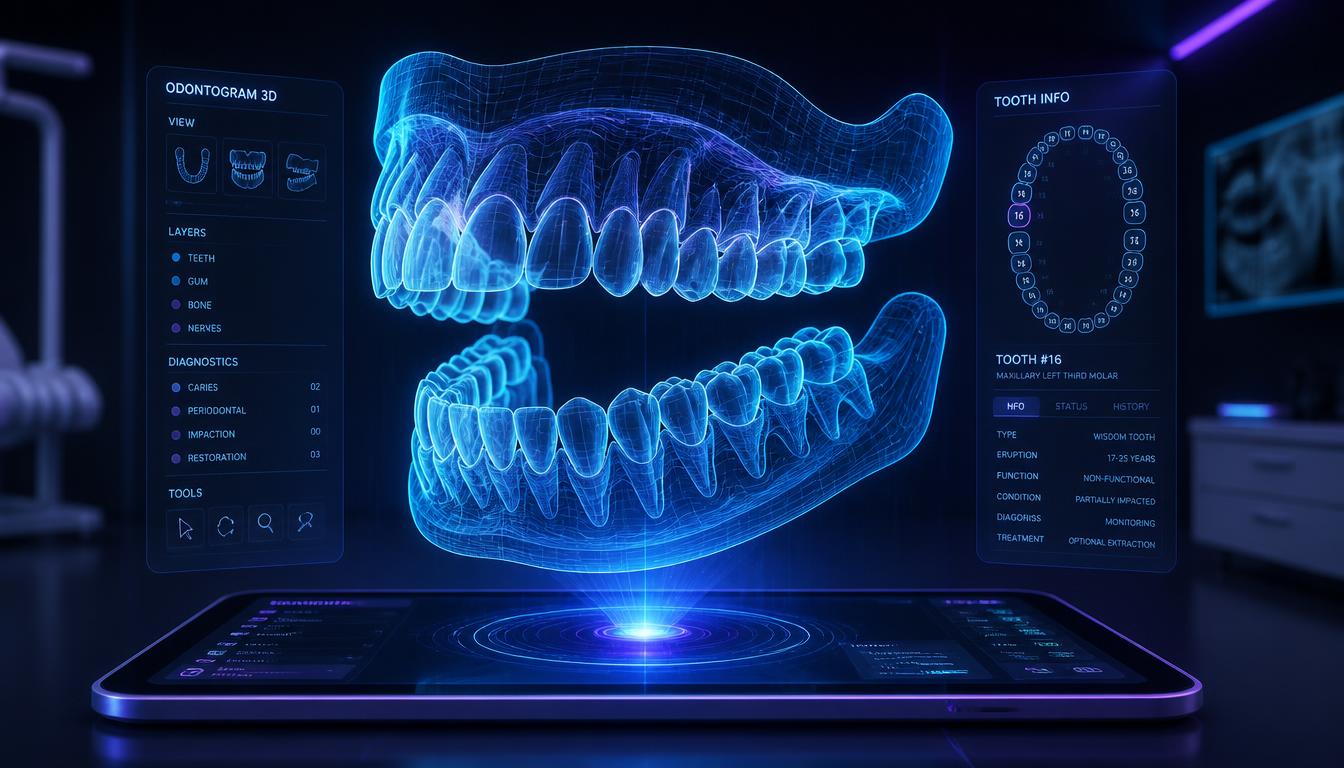
Running a dental practice without modern software is like trying to fill a cavity blindfolded. Dental practice management software has become essential infrastructure for efficient dental practices, integrating clinical documentation, patient scheduling, billing, imaging, and communication into one unified platform. With over 200,000 dentists practicing in the United States alone, choosing the right dental software can make the difference between a thriving practice and operational chaos.
What Is Dental Practice Management Software?
Dental practice management software is a specialized platform designed specifically for dental offices, combining patient records, clinical charting (odontograms), appointment scheduling, billing, insurance claims, imaging integration, and patient communication. Unlike generic medical software, dental systems understand the unique workflows of dental practices: tooth-specific documentation, ADA procedure codes, dental insurance peculiarities, and operatory scheduling logistics.
Why Dental Practices Need Specialized Software
Generic practice management systems cannot handle dental-specific requirements: graphical tooth charting with surface-level documentation, dental procedure coding (ADA CDT), coordination of benefits between multiple dental insurers, and the unique scheduling patterns where hygiene appointments run every 6 months while operative procedures vary from 30 minutes to 3 hours. Dental practice management software is purpose-built for these workflows, enabling dental teams to work 40% faster than generic systems or paper-based processes.
Odontogram and Dental Charting
The digital odontogram displays complete tooth anatomy in 2D or 3D format with individual tooth surfaces labeled (mesial, distal, buccal, lingual/palatal, occlusal/incisal). Existing restorations, prosthetics (crowns, bridges, implants, partial and complete dentures), and pathology (decay, fractures, root canal therapy) are documented graphically with color-coded symbols. Tooth status coding (erupted, impacted, extracted, unerupted) provides a complete current dentition snapshot at a glance.
Periodontal Charting
Complete periodontal examination documentation captures six-point probing depth measurements per tooth (mesio-buccal, mid-buccal, disto-buccal, disto-lingual, mid-lingual, mesio-lingual), bleeding on probing, furcation involvement (Class I, II, III), tooth mobility (Miller Grade 0-III), recession measurement, clinical attachment level (CAL) calculations, and plaque/calculus indices. Automated CAL calculations from recession and probing depth eliminate arithmetic errors. Comparison of serial periodontal charts tracks disease progression or treatment response.
Treatment Planning
Treatment plans present proposed procedures in prioritized phases (urgent/emergency, disease control, restorative, elective), linked to specific tooth numbers and surfaces. Fee presentations with insurance benefit calculations show patient out-of-pocket estimates before treatment begins. Accepted, declined, and pending treatment status tracks the history of patient decisions. Pre-authorization requests to insurance companies for major procedures (crowns, bridges, implants) are generated automatically from treatment plan data.
Evaluating dental software options? Schedule a personalized demo to see treatment planning in action.
Key Features to Look for in Dental Practice Management Software
1. Cloud-Based vs On-Premise
Cloud-based dental software offers remote access, automatic backups, no server maintenance, and subscription pricing ($300-$600/month per provider). On-premise systems require upfront server investment ($15K-$50K) but provide complete data control and work without internet. Modern dental practices increasingly prefer cloud systems for flexibility and lower total cost of ownership.
2. Imaging Integration
Digital radiography is standard in modern dentistry. Your dental practice management software must integrate with intraoral sensors, panoramic X-ray, and CBCT scanners. TWAIN-compliant imaging capture, image annotation tools, and side-by-side comparison views enable efficient diagnosis. Cloud storage for images with HIPAA-compliant security protects patient data while enabling remote access.
3. Patient Portal
Patient portals enable online appointment booking, forms completion before arrival, treatment plan review, payment processing, and secure messaging with the dental office. Practices with patient portals report 30% reduction in phone calls, 25% improvement in patient satisfaction, and 40% faster patient intake.
4. Mobile Accessibility
Dentists reviewing schedules from home, hygienists accessing patient history on tablets, and front desk staff checking insurance eligibility on smartphones all benefit from mobile-friendly dental software. iOS and Android apps extend practice management beyond the desktop computer.
Top Dental Practice Management Software Platforms
Dentrix (Henry Schein)
Market leader in US dental practices with 40,000+ installations. Comprehensive feature set, strong imaging integration, and extensive third-party ecosystem. On-premise architecture requires server investment but offers maximum customization. Pricing: $15K-$30K initial + $500-$1K/month support.
Eaglesoft (Patterson Dental)
Second-largest US market share, particularly strong in multi-location practices. Robust reporting, excellent insurance claim management, and integrated continuing education tracking. Similar on-premise architecture and pricing to Dentrix.
Open Dental
Open-source platform with transparent pricing and active community development. Cloud and on-premise options. Ideal for tech-savvy practices wanting customization freedom. Pricing: Free (open source) or $250/month cloud-hosted per provider.
Curve Dental
Cloud-native platform built from the ground up for web access. Clean interface, strong mobile apps, and excellent uptime (99.9%). No server needed. Pricing: $400-$500/month per provider.
Quecorex Dental
Global-ready dental practice management software supporting multi-currency billing, international dental codes, and HIPAA/GDPR compliance. Ideal for dental practices operating internationally or serving multilingual patient populations. Cloud-based with full offline capability. Integrates with broader Quecorex healthcare platform for multi-specialty medical-dental practices.
Dental Billing and Insurance
ADA CDT dental procedure codes (D0000-D9999 code ranges) are organized by procedure category for efficient code selection. Electronic claim submission to dental insurance carriers, including ADA-compliant claim format generation, covers primary and secondary insurance coordination of benefits. Narrative attachments for procedures requiring clinical justification (crowns, perio, implants) are generated from clinical documentation automatically. Outstanding balance tracking and patient payment plan management complete the revenue cycle.
Appointment Scheduling for Dental Practices
Dental scheduling has distinctive patterns: hygiene recall appointments fill standard time blocks; operative procedures have variable time requirements based on procedure complexity; emergency appointments must be accommodated daily without disrupting scheduled care. Provider-specific scheduling templates, operatory assignment, and equipment availability tracking optimize daily schedule composition. Automated recall notifications (6-month and annual reminders) fill hygiene schedules proactively.
Radiographic Integration
Digital radiograph integration (intraoral sensors, panoramic, CBCT) links images directly to patient records and treatment plans. AI-assisted caries detection analyzes bitewing radiographs to identify interproximal caries that may be missed on clinical examination. Periapical pathology detection, bone level measurement for periodontal assessment, and implant planning tools integrate with 3D CBCT data.
Patient Communication
Automated appointment reminders via SMS, email, and patient portal reduce dental no-show rates by 25–35%. Treatment acceptance improves when patients receive illustrated treatment explanations via patient education videos linked to specific diagnoses. Post-treatment care instructions and prescription information are delivered digitally at checkout. Online booking integration allows patients to self-schedule available appointment types through the practice website.
How to Choose the Best Dental Practice Management Software
1. Assess Your Practice Size and Type
Solo practitioners have different needs than multi-location DSOs. General dentistry requires different tools than orthodontics or oral surgery. Match software capabilities to your practice model rather than paying for unused features.
2. Evaluate Total Cost of Ownership
Beyond license fees, consider: implementation costs, training time, hardware requirements, ongoing support fees, per-user costs for growth, and data migration expenses. Cloud systems eliminate server costs but charge monthly forever. On-premise systems have high upfront costs but lower long-term expense.
3. Check Integration Capabilities
Does the software integrate with your existing: digital X-ray sensors, CBCT scanner, intraoral cameras, payment processor, patient communication platform, and accounting software? Integration gaps force manual double-entry that wastes staff time and introduces errors.
4. Request Live Demos from 3-5 Vendors
Never buy dental software without seeing it operate with real patient data. Request demos showing your specific workflows: perio charting for a hygienist, crown seating documentation for a restorative procedure, insurance claim submission, and patient checkout.
5. Talk to Current Users
Ask vendors for references from practices similar to yours in size, specialty mix, and location. Specifically ask about: implementation difficulty, support responsiveness, hidden costs, and what they wish they had known before purchasing.
Implementation Timeline for Dental Software
Month 1: Vendor selection, contract signing, hardware procurement if needed. Month 2: Data migration from old system, staff training (2-4 full-day sessions). Month 3: Go-live with parallel operation (old and new systems simultaneously). Month 4: Full cutover to new system, discontinue old system. Plan for 6-8 weeks of reduced productivity during transition. Schedule go-live during slower periods, avoid holiday seasons.
ROI of Dental Practice Management Software
Practices transitioning from paper or outdated systems to modern dental software report: 30% reduction in front desk staffing needs, 40% faster insurance claim submission, 25% improvement in collection rates, 35% reduction in appointment no-shows, and 20% increase in treatment plan acceptance. For a typical 3-provider practice producing $1.5M annually, these improvements translate to $150K-$200K in additional net income annually, easily justifying $30K-$50K in software investment.
Ready to modernize your dental practice? Book a tailored Quecorex Dental demo and see how the right software transforms practice operations.
Looking Ahead
Dental practice management software is specialized infrastructure for dental care delivery, supporting clinical documentation, patient communication, and financial operations in a tightly integrated workflow. Quecorex Dentistry module provides complete dental practice management capability, integrated with the broader Quecorex healthcare platform for practices that operate within multi-specialty healthcare organizations.